
IPTV UK · 4K Streaming
IPTV UK – Live TV, Movies, Series & Sports Streaming
IPTV UK 4K delivers live TV channels, on-demand movies and series, and sports where available over your internet connection — no aerial, dish or engineer visit. Browse with a full TV guide (EPG) on Fire TV Stick, Smart TVs, Android, iPhone, PC and more, on a flexible 1, 3, 6 or 12 month plan.
Plans from £15. 12-month plan includes 1 month free.
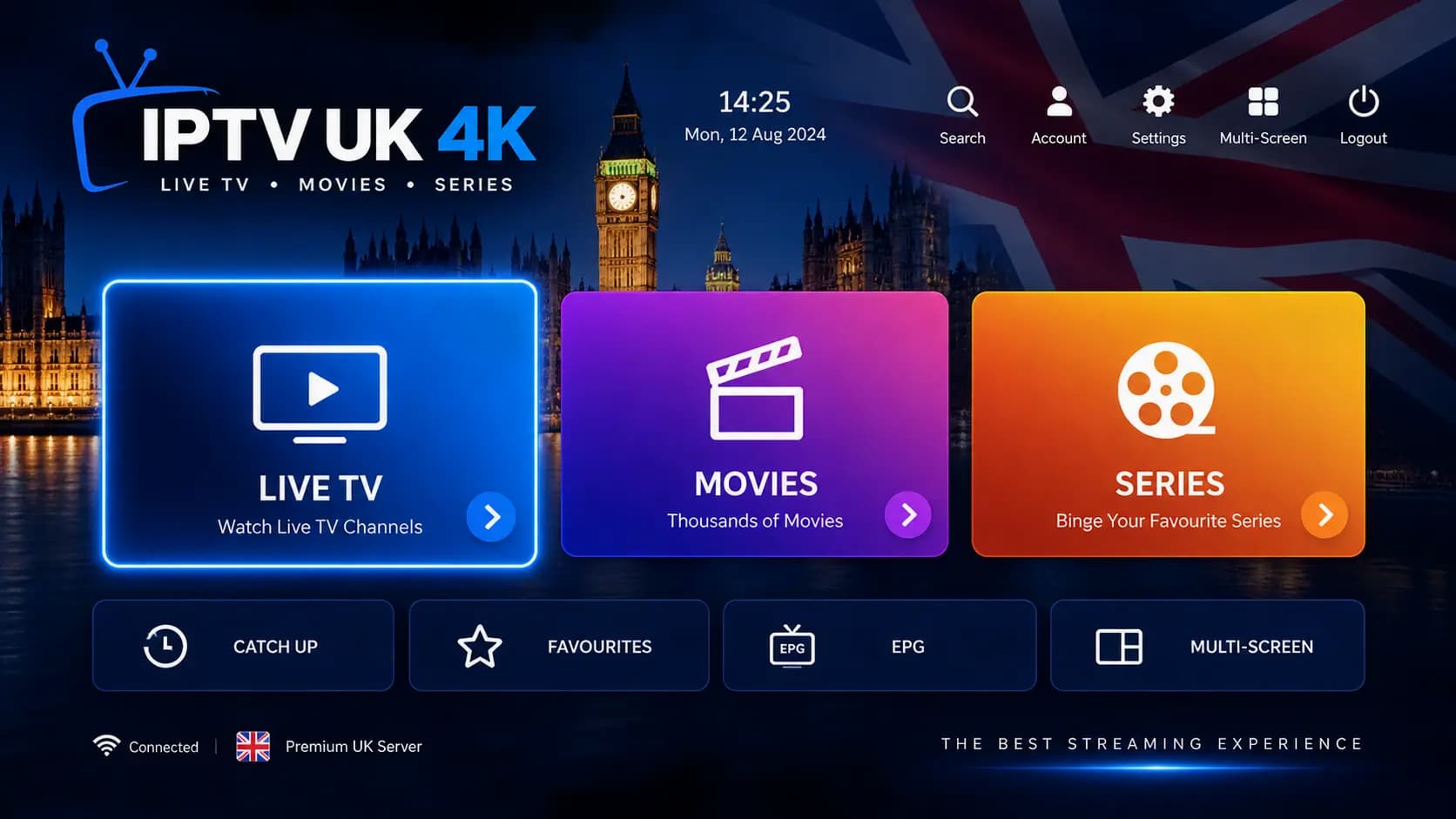
- Live TV
- Movies & Series
- Sports
- TV Guide / EPG
- Multi-Device
- HD, Full HD & 4K-capable
- WhatsApp & Telegram Support
- Free Trial Available
What Is IPTV UK?
IPTV UK means Internet Protocol Television for UK viewers: live TV channels, movies and series delivered over your broadband connection instead of an aerial, satellite dish or cable. You watch through an IPTV-compatible player app on a device such as a Fire TV Stick, Smart TV, phone or computer. The app groups live channels into categories, lists on-demand (VOD) movies and series, and uses an Electronic Programme Guide (EPG) to show what’s on now and next. Which devices you can use depends on the player app and the service. IPTV UK 4K is a UK-focused IPTV subscription that works this way, with plans from £15 and a free trial on WhatsApp.
New to IPTV? Read our full explainer: what IPTV is and how it works.
Features
IPTV UK Features
Everything included with an IPTV UK 4K subscription, whichever plan length you choose.
Live TV
Watch live channels through a compatible IPTV player, organised into categories such as entertainment, news, kids and sport so you can move between them quickly.
Movies & Series
Alongside live channels, your subscription includes on-demand movies and series that appear in your player's VOD sections, ready to start whenever suits you.
Electronic Programme Guide
The EPG (TV guide) shows what's on now and what's coming up on each channel, so you can browse the schedule instead of flicking through channels blind.
Sports
Sports channels sit in their own categories with listings in the TV guide. Sports availability depends on the service and applicable content rights, so check the events you care about during a trial.
Multi-Device Streaming
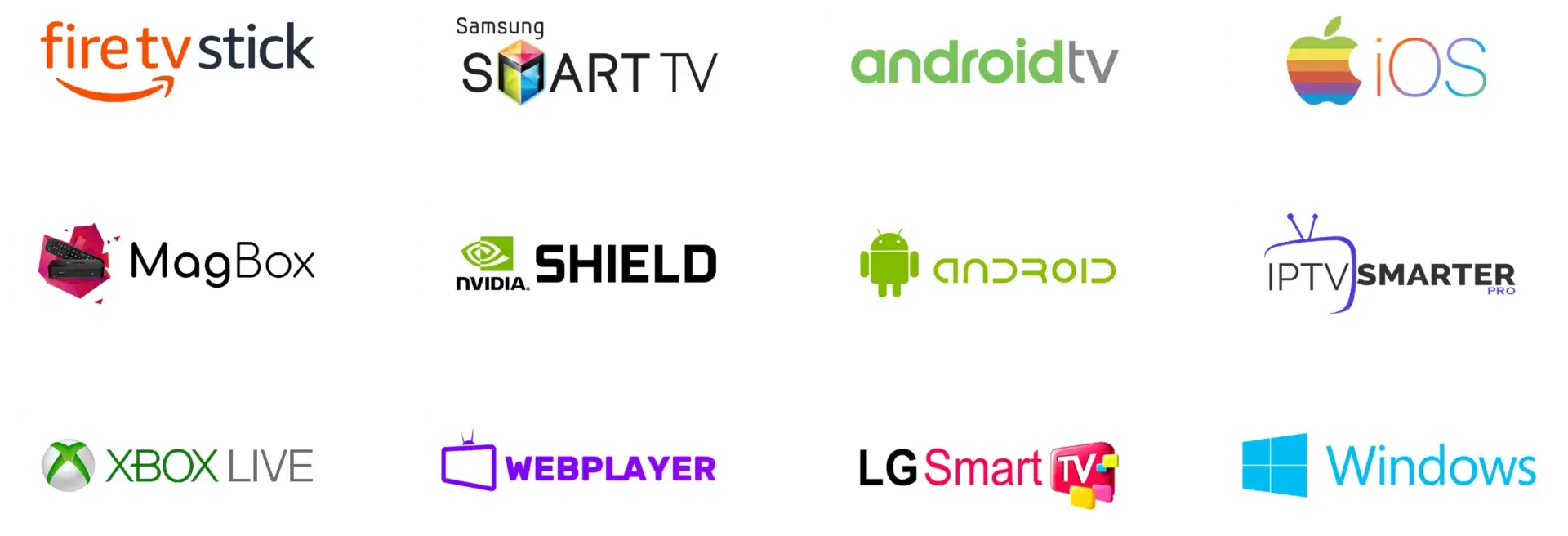
Use the same account on Fire TV Stick, Android TV, Samsung and LG Smart TVs, iPhone and iPad, Android phones, MAG boxes, NVIDIA Shield, Xbox, Windows PC or the web player.
HD, Full HD & 4K-Capable
Streams are delivered in HD and Full HD, with 4K playback where the channel, your device and your connection support it. Not every channel is broadcast in native 4K.
Flexible Plans
Choose 1, 3, 6 or 12 months. Every plan includes the same access, there's no automatic long-term contract, and the 12-month plan includes an extra month free.
Customer Support
Order, ask questions and get setup help by messaging our team on WhatsApp or Telegram — a real person rather than an automated ticket queue.
Pricing
IPTV UK Subscription Plans
Every plan includes the same full access — you're only choosing how long you want it for.
1 Month Plan
£15.00 / month
- Reliable live TV streaming
- Full HD / 1080p quality
- All sports & PPV events included
- 25,000+ live channels
- 140,000+ movies & series
- TV Guide / EPG included
- Works on all devices & IPTV apps
- Easy setup guide included
- Instant activation & secure payment
- No contracts or hidden fees
- 24/7 support
3 Months Plan
£9.67 / month
- Reliable live TV streaming
- Full HD / 1080p quality
- All sports & PPV events included
- 25,000+ live channels
- 140,000+ movies & series
- TV Guide / EPG included
- Works on all devices & IPTV apps
- Easy setup guide included
- Instant activation & secure payment
- No contracts or hidden fees
- 24/7 support
6 Months Plan
£6.67 / month
- Reliable live TV streaming
- Full HD / 1080p quality
- All sports & PPV events included
- 25,000+ live channels
- 140,000+ movies & series
- TV Guide / EPG included
- Works on all devices & IPTV apps
- Easy setup guide included
- Instant activation & secure payment
- No contracts or hidden fees
- 24/7 support
12 Months Plan
£4.23 / month
- Reliable live TV streaming
- Full HD / 1080p quality
- All sports & PPV events included
- 25,000+ live channels
- 140,000+ movies & series
- TV Guide / EPG included
- Works on all devices & IPTV apps
- Easy setup guide included
- Instant activation & secure payment
- No contracts or hidden fees
- 24/7 support
How to choose your plan
- Duration: longer terms lower the effective monthly price. If you’re still deciding, the 1 Month plan is the lowest commitment; if you already know IPTV suits you, the 12 Months plan includes a free extra month.
- Connections: if several people in your home will watch at the same time, message us before ordering and we’ll confirm how many simultaneous streams your plan allows.
- Devices: make sure your main TV device is on our supported devices list — or test it first with a free trial.
- Viewing habits: if you watch daily or follow a full sports season, a 6 or 12 month plan usually works out cheaper than renewing month to month.
| Plan | Price | Effective monthly cost | Bonus |
|---|---|---|---|
| 1 Month Plan | £15 | £15.00 / month | — |
| 3 Months Plan | £29 | £9.67 / month | — |
| 6 Months Plan | £40 | £6.67 / month | — |
| 12 Months Plan | £55 | £4.23 / month | 1 Month Free |
How It Works
How Does IPTV UK Work?
You choose a plan, receive your access details, install a player and sign in. Here's each step.
Step 1
Choose a plan
Compare the 1, 3, 6 and 12 month options on our pricing page. Every plan includes the same access.
Step 2
Receive your access details
Message us on WhatsApp to confirm your order and payment. Our team then provides your login details in the same conversation.
Step 3
Install a compatible player
Install an IPTV player on your device — see the compatible apps and device guides below.
Step 4
Add your login or playlist
Enter your Xtream Codes login or M3U playlist URL. MAG boxes use a portal URL linked to the device’s MAC address instead.
Start watching
Once your details are in, the player loads live channels by category, the movies and series library, and the TV guide. Pick a channel from the EPG to watch live, or open the VOD sections to start a film or an episode whenever you like. For a deeper look at the technology, read how IPTV works in the UK.
Live TV
Live TV Streaming
Live TV on IPTV works like regular television, but arrives over the internet. Channels stream in real time and are presented in your player app rather than through a tuner, so you can watch on any supported device in the house.
- Channel categories: channels are grouped into categories such as entertainment, news, documentaries, kids, music and sport, so you can jump straight to the type of programme you want.
- TV guide (EPG): see what’s on now and next for each channel, and browse ahead to plan your evening.
- Channel navigation: use your remote to move up and down the list, search by name, or switch between categories without leaving the player.
- Favourites: most players let you mark channels as favourites so the ones you watch most are always one click away.
- Supported players: live TV works in players such as IPTV Smarters Pro and TiviMate, on MAG boxes and in the web player.
Sports
IPTV Sports
With IPTV, sports channels sit in dedicated categories and appear in the TV guide like any other channel. Sports availability depends on the service and applicable content rights, so the best way to check the events you follow is a free trial before you subscribe.
- Live sports channels: watch sport as it happens through your player’s live TV section.
- Sports categories: sports channels are grouped together so you don’t have to scroll the full list.
- Event listings: the EPG shows programme titles and start times, which makes upcoming matches and events easier to find.
- HD and 4K where supported: fast-moving sport benefits from higher quality, but it also uses more bandwidth — a wired connection helps during big live events.
- Compatible devices: watch on the big screen with a Fire TV Stick or Smart TV, or follow along on your phone.
On Demand
Movies & Series on IPTV
Movies and series on IPTV are video on demand (VOD): you choose a title and start it whenever you want. They’re included with every IPTV UK 4K plan and appear in separate sections of your player from live TV.
- Movie categories and genres: films are organised by category and genre — action, comedy, drama, family and more — so browsing feels familiar.
- TV series: series are grouped by season and episode, and many players remember where you left off.
- Search and favourites: search by title, and save movies or series to favourites to come back to later.
- Playback controls: pause, rewind and skip like any on-demand service.
- Quality: titles play in HD or Full HD, with 4K on selected titles where your device and connection support it.
Supported Devices
Watch IPTV UK on Your Device
From Fire TV Stick to Smart TVs, phones and PCs — set up IPTV UK 4K on the devices your household already uses.
Amazon Fire TV Stick
One of the most popular ways to watch IPTV in the UK. Install a compatible player and sign in with your details.
IPTV Firestick setup →Samsung & LG Smart TV
Stream directly on Samsung (Tizen) and LG (webOS) Smart TVs using a supported app — no extra box required.
Smart TV compatibility →Android TV & NVIDIA Shield
Android TV devices run popular IPTV players, and higher-spec boxes such as NVIDIA Shield handle 4K streams well.
Android TV box guide →iPhone & iPad
Watch on Apple iOS devices using a supported IPTV player app from the App Store.
iOS device support →Android phones & tablets
General Android phones, tablets and TV boxes work with the same player apps used on Android TV.
Android device support →MAG Box
MAG set-top boxes connect using a portal URL linked to the device's MAC address rather than a player app.
IPTV box guide →Windows PC & web player
Use a Windows-compatible IPTV player, or watch from a desktop or laptop browser with the web player.
PC and web player →Player Apps
Compatible IPTV Apps
IPTV apps are players: they display channels and on-demand content, but they don't provide any TV content themselves. Your subscription supplies the content; the app is how you watch it.
IPTV Smarters Pro
A widely used player available on many platforms. Supports Xtream Codes logins and M3U playlists, with sections for live TV, movies, series and the TV guide.
IPTV player comparison →TiviMate
A TV-focused player for Android TV and Fire TV, known for its grid-style EPG and channel organisation. Loads Xtream Codes logins or M3U playlists.
TiviMate vs other players →MAG portal
MAG boxes use a built-in portal instead of a separate app. Your access is linked to the box's MAC address.
How IPTV boxes work →Other compatible players
Most players that accept an M3U URL or Xtream Codes login will work. Stick to apps from official app stores and avoid unknown APK files.
How IPTV players work →Not sure which player to choose? Our IPTV player app comparison covers layouts, EPG support and device availability, and our guide to which free player apps are safe to install explains what to avoid.
Installation
How to Set Up IPTV UK
Setup usually takes a few minutes. The steps are broadly the same on every device.
- 1Choose a compatible device, such as a Fire TV Stick, Smart TV, Android TV box or phone.
- 2Install an IPTV player app from your device's app store, or use the web player.
- 3Open the app and choose the login method you've been given.
- 4Enter your supplied Xtream Codes login details or M3U playlist URL.
- 5Wait for the channel list to load — the first load can take a little longer.
- 6Load the EPG (TV guide) if your app doesn't fetch it automatically.
- 7Start streaming live TV, movies and series.
For detailed walkthroughs, see our IPTV installation guide and IPTV Firestick setup guide. If you get stuck, our team can help on WhatsApp or Telegram.
Login Methods
M3U and Xtream Codes Explained
M3U playlist
An M3U playlist is a text-based list of channels and the web addresses of their streams, usually supplied as a single URL. You paste the URL into a compatible player, which reads the list and builds a channel menu from it. Some players need a separate EPG URL to show the TV guide with an M3U playlist.
Xtream Codes
Xtream Codes is an API-style login made up of a server URL, username and password. Players that support it connect to the service directly and usually load live channels, movies, series and the EPG automatically — often the simplest option where your app offers it.
IPTV UK 4K supports both methods, plus MAG portal access. Exact login options depend on the player app you use, and our team will tell you which details to enter. Never use credentials or playlists shared publicly online. Learn more in our guide to how IPTV players load M3U and Xtream Codes.
Connection
What Internet Speed Do You Need for IPTV?
As a rule of thumb, aim for at least 10 Mbps for HD and 25 Mbps for 4K on each device that's streaming.
| Streaming quality | Typical recommended speed |
|---|---|
| SD | 5+ Mbps |
| HD (720p) | 10+ Mbps |
| Full HD (1080p) | 15+ Mbps |
| 4K (2160p) | 25+ Mbps |
General guidance per stream, not a guarantee of performance.
Real-world requirements vary depending on:
- Stream bitrate — 4K and fast-moving sport use more data than standard programmes
- Wi-Fi quality — distance, walls and interference reduce the speed your device actually receives
- Network congestion — evenings and big live events put more load on networks
- Simultaneous devices — other people streaming, gaming or downloading share your bandwidth
- ISP performance — real-world speeds can differ from your package's headline figure
- Device hardware — older or low-memory devices can struggle with high-bitrate streams
If several people stream at once, add the figures together. For more detail, read our guides to IPTV 4K bandwidth and hardware and what affects IPTV stream quality.
Troubleshooting
Why Does IPTV Buffer?
Buffering happens when video data doesn't reach your device fast enough to keep playing smoothly. It's most often caused by Wi-Fi, network load or the device itself.
Buffering checklist
- Test your internet speed on the device you're watching on, not just your phone
- Restart your router and your streaming device
- Use an Ethernet cable instead of Wi-Fi where possible
- If you must use Wi-Fi, move the device closer to the router or use a 5 GHz band
- Pause downloads, game updates and other streams in the house
- Close and reopen your IPTV player app
- Clear the app's cache where your device supports it
- Check the device has free storage and isn't running lots of background apps
- Try another compatible player app to rule out an app-specific issue
- Contact our support team on WhatsApp or Telegram if the problem continues
No IPTV service can promise zero buffering, because so much depends on your home network and device. Working through the checklist above solves most problems. Our IPTV buffering and stream quality guide goes into more detail.
Why IPTV
Why Choose an IPTV UK Service?
IPTV suits viewers who want live TV and on-demand content on their own devices, without a dish or long contract. These are the practical points worth weighing.
Flexible viewing
Watch live TV or on-demand content when it suits you, on the screen that's free, without being tied to a satellite dish or aerial socket.
Device compatibility
One subscription works across Smart TVs, streaming sticks, phones, tablets, consoles and computers, so you can use hardware you already own.
Live TV and VOD together
Live channels, movies and series sit inside the same player, which removes the need to juggle several separate apps for different types of content.
A proper TV guide
EPG data turns a long channel list into a familiar schedule view, with programme titles and times for what's on now and next.
Your choice of app
Because IPTV uses standard login methods, you can pick the player whose layout you prefer, such as IPTV Smarters Pro or TiviMate, rather than being locked into one interface.
Subscription length you control
Fixed 1, 3, 6 or 12 month terms with no automatic long-term contract. Longer terms simply lower the effective monthly price.
Clear connection terms
How many devices can stream at the same time is something to confirm before you pay. Our team will tell you exactly what your plan allows when you message us.
Support and installation guidance
Setup help is available over WhatsApp and Telegram, and our written guides cover common devices like Fire TV Stick, Android TV boxes and MAG boxes.
Why Trust IPTV UK 4K
Transparent pricing, real support, no gimmicks
We keep things simple: the price you see is the price you pay, support happens on WhatsApp and Telegram with a real person, and you can try before you commit.
- Exact pricing shown upfront — no hidden fees added later
- Free trial available before you subscribe to any plan
- Support via WhatsApp and Telegram, not an automated ticket system
- No long-term contract — renew only if IPTV UK 4K works for you
Talk to us before you buy
Have a question about devices, plans or the free trial? Message our team directly — no forms, no waiting on hold.
Comparison
IPTV UK vs Traditional TV
IPTV and traditional TV both deliver live channels; the difference is how they reach you. Neither is better for everyone — it depends on your connection, devices and viewing habits.
| Feature | IPTV | Traditional TV |
|---|---|---|
| Delivery method | Streamed over your broadband connection using internet protocol | Broadcast via aerial (Freeview), satellite dish or cable network |
| Internet requirement | Required — quality depends on speed and stability | Not required for broadcast channels |
| Device flexibility | Smart TVs, sticks, boxes, phones, tablets, consoles and PCs | Mainly TVs connected to an aerial, dish or set-top box |
| Live TV | Yes, through an IPTV player app | Yes, the core of the service |
| Video on demand | Movies and series are typically included in the player | Varies — often via separate catch-up or on-demand services |
| TV guide (EPG) | Provided as data inside the player app | Built into the TV or set-top box |
| Installation | Install an app and enter login details — no engineer visit | May need an aerial, dish, cabling or an engineer installation |
| Mobility | Can be watched on portable devices with an internet connection | Usually tied to the installation point at home |
| Subscription model | Fixed-term plans (for IPTV UK 4K: 1, 3, 6 or 12 months) | Free-to-air, or pay-TV packages that may involve longer contracts |
| Hardware | A compatible device you may already own | TV tuner, aerial or dish, and often a provider set-top box |
Traditional broadcast TV doesn’t depend on your broadband, which is an advantage if your connection is slow or unreliable. IPTV is more flexible about devices and rooms, and needs no dish or aerial — but a stable internet connection is essential.
Comparison
IPTV vs Streaming Services
IPTV services focus on live channels with a TV guide, while on-demand streaming platforms focus on a catalogue of films and shows. Traditional TV is broadcast rather than streamed.
| Feature | IPTV service | On-demand streaming platform |
|---|---|---|
| Live TV | The main focus — live channels arranged by category | Limited or none on most platforms; mostly on-demand |
| Video on demand | Movies and series included alongside live TV | The main focus — a catalogue of films and shows |
| TV guide (EPG) | Schedule view for live channels | Not usually needed, as content isn't scheduled |
| Subscription model | Fixed-term plans covering live TV and VOD together | Usually a rolling monthly subscription per platform |
| Device support | Works with third-party IPTV players across many devices | Each platform's own app on its supported devices |
| Internet dependency | Needs a stable connection for live playback | Needs a connection too; some allow offline downloads |
| App experience | You choose the player app and its layout | A single official app designed by the platform |
Many households use both: IPTV for live channels and sport, and an on-demand platform for its own original shows. To compare providers fairly, see our guide on how to compare IPTV providers.
Try IPTV UK Before Choosing a Plan
Yes, IPTV UK 4K offers a free trial. Request it on WhatsApp and our team will confirm availability, how long the trial runs and how many devices it covers. No payment details are needed, and there’s no obligation to subscribe afterwards.
What to test during your trial
- Your main device — the Fire TV Stick, Smart TV or box you'll actually use
- The live channels you watch most often
- Whether the EPG loads and shows correct listings
- Movies and series playback from the VOD sections
- Picture quality and stability on your own connection
- Performance in the evening, when networks are busiest
- Sports channels and listings you care about
- How easy the player app feels with your remote
Is It Right for You?
Who Is IPTV UK Suitable For?
IPTV suits anyone with a reasonably stable broadband connection who wants live TV and on-demand content on their own devices.
- People who want to watch live TV online rather than through an aerial or dish
- Households with Samsung, LG or other Smart TVs who'd rather not add another box
- Fire TV Stick users looking for a straightforward IPTV setup
- Android TV and NVIDIA Shield owners who want a TV-style guide
- Sports viewers who want sports channels and listings in one place, subject to availability
- Movie and series viewers who want on-demand content alongside live channels
- Anyone who prefers browsing with a proper EPG instead of a plain channel list
- Homes that watch across several devices, from the living-room TV to phones and laptops
If your broadband is slow or drops out often, IPTV may not be the best fit — a free trial is the easiest way to find out on your own connection.
Legal
Is IPTV Legal in the UK?
IPTV technology itself is legal in the UK. It’s simply a way of delivering television over internet protocol, and it’s used by many mainstream broadcasters and telecoms providers.
- Legality depends on the content: what matters is whether a service has the rights and permissions for the content it streams.
- UK copyright law applies: copyright is protected under the Copyright, Designs and Patents Act 1988, and UK courts have issued orders requiring internet providers to block unauthorised streams.
- Choose carefully: users should choose services with appropriate rights and are responsible for making sure their use complies with applicable law.
This is general information reflecting the UK position as of October 2026, not legal advice. For more, read our article on IPTV legal considerations in the UK and our terms of service.
Stay Safe
IPTV Privacy & Security
Most IPTV security problems come from unsafe apps and shared logins rather than the streams themselves. A few sensible habits go a long way.
- Install player apps only from official app stores such as the Amazon Appstore, Google Play, Samsung, LG or Apple stores
- Keep your player app and device software up to date
- Avoid sideloading unknown APK files or ‘modded’ versions of player apps
- Keep your login details and playlist URL private — don't share them publicly
- Use strong, unique passwords on any accounts linked to your devices
- Review the privacy policy of any app you install before entering details
- Avoid unknown free playlists and downloads, which can carry malware or unauthorised content
See our guide to the risks of free IPTV and read our privacy policy for how we handle your information.
Guides
Popular IPTV UK Guides
In-depth answers for UK viewers comparing services, setting up devices and choosing a plan.
How IPTV works in the UK
The technology, the equipment and what UK households need before subscribing.
Read the explainer →UK IPTV buyer's guide
A step-by-step checklist for comparing UK IPTV services before you pay.
Read the buyer's guide →IPTV subscription UK pricing
How UK IPTV plan lengths and pricing work, and what to compare between them.
Compare plan pricing →Free trial IPTV UK
What to test during an IPTV free trial so you can decide with confidence.
Plan your trial →Installing or casting IPTV to a Firestick
The two ways to get IPTV onto a Fire TV Stick, and when to use each.
Firestick methods compared →IPTV stream quality
What affects picture quality and buffering, and how to improve it at home.
Improve stream quality →4K IPTV requirements
The TV, device and connection you need to watch IPTV in true 4K.
Check 4K requirements →IPTV in the UK: legal considerations
How UK law treats IPTV technology and the content delivered through it.
Read the legal guide →FAQ
IPTV UK Frequently Asked Questions
Quick answers to the questions we're asked most.
What is IPTV UK?
IPTV UK refers to Internet Protocol Television services aimed at UK viewers. Instead of an aerial, satellite dish or cable, live TV channels, movies and series are delivered over your broadband connection and watched through a compatible player app. IPTV UK 4K is a UK-focused IPTV subscription that works this way.
How does IPTV work?
Your provider supplies access details — usually an Xtream Codes login or an M3U playlist URL. You enter these into an IPTV player app on your device, the app loads the channel list and TV guide, and each channel or film streams over your internet connection when you select it.
What devices support IPTV?
IPTV UK 4K works on Fire TV Stick, Android TV, Samsung and LG Smart TVs, iPhone and iPad, Android phones and tablets, MAG boxes, NVIDIA Shield, Xbox, Windows PCs and in a web browser via the web player.
Which IPTV apps can I use?
Most players that support Xtream Codes or M3U playlists will work, including popular apps such as IPTV Smarters Pro and TiviMate. MAG boxes use their built-in portal instead. IPTV apps are players only — they don't provide TV content themselves.
Does IPTV work on Firestick?
Yes. The Fire TV Stick is one of the most common IPTV devices in the UK. You install a compatible player app, enter your login details and the channels load on your TV. Our Firestick guide walks through the process step by step.
Can I use IPTV on a Smart TV?
Yes. IPTV UK 4K works on Samsung and LG Smart TVs, as well as Android TV-based televisions, using a supported player app — no extra set-top box is required.
What is an IPTV EPG?
EPG stands for Electronic Programme Guide. It's the TV guide inside your IPTV player that shows what's on now and next on each channel, with programme titles and times. Most players load the EPG automatically; some let you refresh it manually.
What is an M3U playlist?
An M3U playlist is a text-based file, usually supplied as a URL, that lists channels and the addresses of their streams. Compatible IPTV players read the playlist and build a channel menu from it.
What are Xtream Codes?
Xtream Codes is a login method made up of a server URL, username and password. Players that support it connect directly to the service and usually pull in live channels, movies, series and the TV guide automatically.
How much internet speed does IPTV need?
As general guidance, around 10 Mbps for HD, 15 Mbps for Full HD and 25 Mbps or more for 4K on each device that's streaming. These aren't guarantees — Wi-Fi quality, other devices on your network and your provider's performance all make a difference.
Why does IPTV buffer?
Buffering usually comes from the home network or device rather than a single cause: weak Wi-Fi, too many devices using bandwidth, an overloaded router, or a device that's short on memory. Restarting your router, using Ethernet and closing other apps fixes most cases.
Can IPTV stream in 4K?
Yes, where the channel is available in 4K and your device and connection support it. Many channels are broadcast in HD or Full HD, so not everything is native 4K. You'll need a 4K-capable device, a 4K TV and roughly 25 Mbps or more.
Can I watch IPTV on multiple devices?
You can install your player on as many of your devices as you like. How many can stream at the same time depends on your subscription, so message our team on WhatsApp before ordering and we'll confirm exactly what your plan allows.
Does IPTV UK 4K include movies and series?
Yes. Alongside live TV, every plan includes on-demand movies and series that appear in your player's VOD sections.
Does IPTV UK 4K include sports?
Sports channels are included in their own categories with listings in the TV guide. Sports availability depends on the service and applicable content rights, so use a free trial to check the channels and events you care about.
Is IPTV legal in the UK?
IPTV technology itself is legal — many legitimate broadcasters use it. What matters is whether a service has the rights to the content it streams. Choose services with appropriate rights and permissions. This is general information, not legal advice.
Is there a free trial?
Yes. Message us on WhatsApp with "I'm interested in UK server trial" and we'll confirm availability and the trial details. No payment details are needed to request a trial.
How do I install IPTV?
Install a compatible player on your device, open it, enter your Xtream Codes login or M3U URL, then let the channels and TV guide load. Our setup guides cover Fire TV Stick, Android TV boxes and MAG boxes, and our team can help on WhatsApp.
How do I contact support?
Message our team on WhatsApp or Telegram. Both are listed on our contact page, and you'll speak to a real person rather than an automated ticket system.
How do I choose the right plan?
Every plan includes the same access, so choose by how long you want it for. The 1 Month plan (£15) suits people still deciding, while the 12 Months plan (£55 plus a free month) has the lowest effective monthly price. Compare all four on our pricing page.
Ready to start watching?
Choose a plan that fits you, or try IPTV UK 4K first with a free trial request on WhatsApp.